Troubleshooting Common ODF Problems


Like compute and network, storage is one of the three pillars of a clustered compute environment. Storage is hard. Hyperconverged storage is infinitely harder. Why? Because as someone smarter than me told me:
you're trying to satisfy the CAP theorem on two overlapping inter-dependent platforms, the storage and the hypervisor. It's possible, but it's exponentially complex.
What is the CAP theorem? In summary, the CAP theorem essentially states that any distributed system can only provide two of three guarantees—Consistency, Availability, and Partition Tolerance—simultaneously. When a partition occurs, systems must choose between consistency (all nodes see the same data) and availability (all nodes respond), often requiring tradeoffs in system design.
This applies equally to all three of the pillars, and when you stack all three into a hyperconverged environment, things get immensely more complicated, because you're actually trying to solve the CAP theorem for all three pillars using the same hardware stack. You have a hypervisor that needs to maintain quorum with a cluster of compute nodes, software defined networking that needs to provide consistent communication between them and distributed storage which relies on both - and then there's layer 1 to contend with; the hardware itself. All of this lends itself to a system that can be quite sensitive to failures. You can of course engineer around some of these hurdles often by just throwing more hardware at the problem to provide better resiliency, but that represents a cost - both in terms of real dollars, as well as administrative burden maintaining that complexity.
Whether you're talking about VSphere with vSAN or Openshift with ODF, hyperconverged systems tend to be fickle. At a bare minimum, any distributed system requires a minimum of 3 nodes to maintain quorum - an "active" node, a "standby" node and a witness/tie breaker. If you lose even one node, you end up with a partition, which results in loss of consistency. Now, most systems are built to be able to tolerate at least one failure temporarily (eg; during node patching), but if you lose a second, you're SOL. Adding additional nodes helps, but it's not a silver bullet. I have a six-node bare metal Openshift cluster with each node pulling double duty as storage and compute nodes, with three of them also running etcd to boot. Despite that level of complexity, running this configuration of hyperconverged infrastructure has proved to be surprisingly resilient, but not without it's share of problems.
I've recently been having a rash of brief power outages, and every time it happens, all hell breaks loose in my lab. Kubernetes (and by extension, Openshift) is generally a pretty robust, self-healing system. Openshift Data Foundation (ceph) on the other hand has proven to be incredibly temperamental and prone to failures, especially when "the plug gets pulled". So much so, that I've had to get really good at troubleshooting and fixing errors and faults.
When I lose power, it's almost a guarantee that I'm going to lose one or more OSDs (object storage devices - aka; disks) due to data corruption. When it comes to providing storage to a cluster, Ceph is really not picky - it will generally let you use any class of storage device you want whether it be virtual disks attached to VMs, remotely connected storage LUNs (eg; iSCSI or FC for instance) or directly attached physical storage. However, I would caveat that Ceph more or less requires flash storage - the faster, the better, because it can be incredibly sensitive to disk latency. Also, fast networking (10Gbe or better) is almost mandatory. In my case, my OSDs are 4TB NVMe drives directly attached to my Openshift nodes, which provide good capacity, fairly good redundancy and are plenty fast. All of these disks are essentially new. I just completed my new lab build toward the end of last year. I had the misfortune of getting a batch of faulty NVMe drives, but once I worked through that and replaced the bad disks, the random failures have stopped - unless of course I suffer a catastrophic failure (like a power outage). I've purchased some UPSes to prevent these blips from taking down my lab (hopefully - can't guarantee I'm going to be home during an extended outage and be able to gracefully shut down the cluster in time. I'll have to set up the UPSes to do some kind of alerting, but that's a problem for another day). So what is one to do when something bad happens and ODF is unhealthy?
Fixing ODF errors
In most cases, ceph (or ODF) is self healing. However, in case of power failures, you may find that some things do not auto-remediate and will require manual intervention, such as scrub failures or inconsistent pg (placement group) errors. In such cases, most of the time these can be remediated and the cluster health recovered but it requires running ceph commands directly against the cluster - which in a kubernetes environment isn't quite as straightforward as it would be on a dedicated Ceph cluster.
echo "alias ceph='oc exec -n openshift-storage $(oc get pods -n openshift-storage -l app=rook-ceph-operator -o name) -- ceph -c /var/lib/rook/openshift-storage/openshift-storage.config'" >> ~/.bash_profileThen you can just
source ~/.bash_profile to run commands on ODF directly with just the ceph command.Step 1. Gather inconsistent placement groups
This step will check the cluster health and gather a list of any inconsistent placement groups under the $PG variable.
# get the unhealthy pg number(s)
PG=$(ceph health detail | grep pg | awk -F ' ' '{print $2}')
Step 2. Repair inconsistencies
This step runs a manual repair on the placement groups identified in the previous step.
# repair pgs
for p in $PG;
do
  ceph pg repair $p;
done
Step 3. Run a "deep scrub"
This step runs a deeper scrub than the ones that ceph does automatically, which will generally resolve any remaining issues.
# deep-scrub pgs
for p in $PG;
do
  ceph pg deep-scrub $p;
done
Step 4. Verify cluster health
Depending on the severity of inconsistency, the two previous commands may take a while to complete. You can watch the status with the following command:
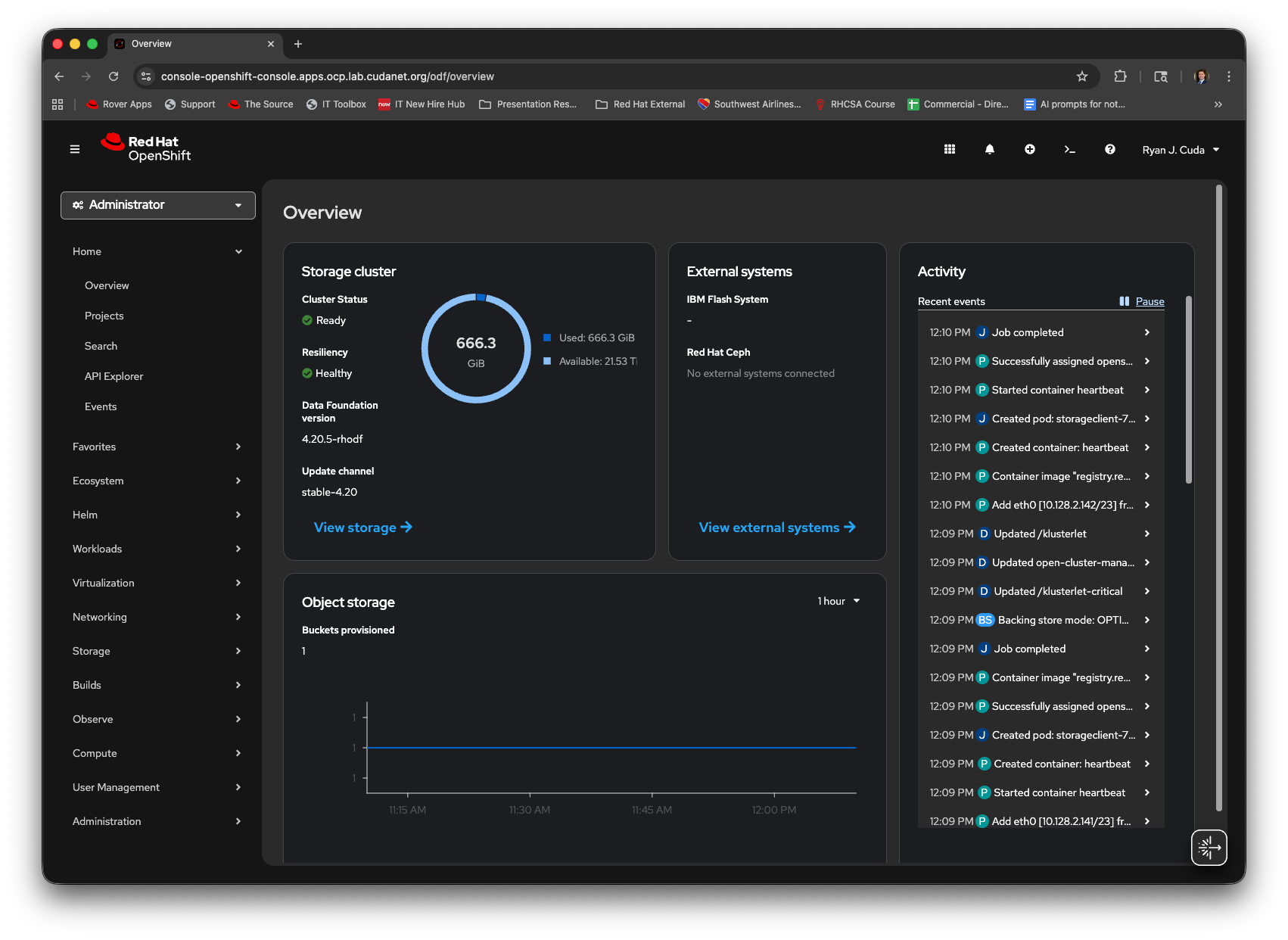
watch -n5 ceph -sOnce the tasks are completed, you should see the cluster health status return to HEALTH_OK.
rcuda-mac:~ rcuda$ ceph -s
  cluster:
    id:     44f9230b-a70c-4b06-98ff-582f89cf1c03
    health: HEALTH_OK

  services:
    mon: 5 daemons, quorum g,i,o,q,u (age 70m)
    mgr: a(active, since 68m), standbys: b
    mds: 1/1 daemons up, 1 hot standby
    osd: 6 osds: 6 up (since 68m), 6 in (since 68m)
    rgw: 1 daemon active (1 hosts, 1 zones)

  data:
    volumes: 1/1 healthy
    pools:   12 pools, 201 pgs
    objects: 73.72k objects, 242 GiB
    usage:   666 GiB used, 22 TiB / 22 TiB avail
    pgs:     201 active+clean

  io:
    client:   1.3 MiB/s rd, 896 KiB/s wr, 35 op/s rd, 48 op/s wr
You can also verify cluster health with ceph health detail.
Replacing Failed OSDs
Even if the cluster is healthy you may find yourself in a situation where one or more OSDs are unavailable following a crash. This can be caused by either data corruption from an abrupt power failure, or due to a faulty disk. Either way the process to remediate a failed disk is essentially the same. The process is documented here.
However, there are a few caveats I've found that are not mentioned in the docs, which I will cover here.
Step 1. Identify the failed OSD
osd_id_to_remove=$(oc get -n openshift-storage pods -l app=rook-ceph-osd -o wide | grep CrashLoopBackoff | awk '{print $1}' | cut -d '-' -f 4)
It's probably a good idea to place the node in Maintenance Mode (if you're using the Node Maintenance Operator, which I highly recommend). If not, cordoning the node is sufficient as well.
node_to_cordon=$(oc get -n openshift-storage pods -l app=rook-ceph-osd -o wide | grep node05 | awk '{print $7}')
oc adm cordon $node_to_cordon
Step 2. Scale the rook-ceph-operator pod to 0
oc -n openshift-storage scale deployment rook-ceph-operator --replicas=0Step 3. Remove the failed OSD from ODF
oc process -n openshift-storage ocs-osd-removal -p FAILED_OSD_IDS=${osd_id_to_remove} FORCE_OSD_REMOVAL=false |oc create -n openshift-storage -f -Step 4. Remove the persistent volume
my local storage class is named local. You may need to adjust this command accordingly for your environment. Also, depending on your version of Openshift, the status may be Released or Available.
 pv_to_remove=$(oc get pv -L kubernetes.io/hostname | grep local | grep Released | awk '{print $1}')
oc delete pv $pv_to_remove
Step 5. Replace the physical disk
First, make sure the disk you intend to use is wiped.
# wipe disk for re-use with ceph
for DISK in /dev/nvme1n1; do
  echo "Wiping ${DISK}"
  for gb in 0 1 10 100 1000; do dd if=/dev/zero of="$DISK" bs=1K count=400 oflag=direct seek=$((gb * 1024**2))
  wipefs -af /dev/nvme1n1;
  done
done
Then, power off the node and swap the failed disk out. Once you've swapped the failed drive, power the node back on. If you're not using NVMe which is not hot swappable, and you're using something like SAS or SATA, you can skip the power cycle.
Step 6. Scale the rook-ceph-operator to 1
Uncordon (or end Maintenance) the node you replaced the failed disk on:
oc adm uncordon $node_to_cordonThen, once the node status has returned to Ready, run the following command to scale the rook-ceph-operator pod back up to 1 replica:
oc -n openshift-storage scale deployment rook-ceph-operator --replicas=1Then you can monitor the status of the ODF cluster. After a few minutes, the local storage operator will claim the new PV, provision a new PVC and add it as a new OSD in your ODF cluster. You can verify the status with the following command
watch -n5 ceph -sThen once your number of OSDs has returned to the expected value, you can clean up any remaining alerts with the following command
ceph crash archive-allIn a few minutes, you should see the ODF console show the full capacity and healthy status.